Getting Started with the REST API
Before getting started, check Entity Types if you're not familiar with the identifiers and entity concepts used in the API. The Eligibility flow contains detailed information on what eligibility is and how it works inside Wellhub's ecosystem.
The API lets you sync employee eligibility from your HR system so employees can access Wellhub as soon as they are added (and removed when they leave). This guide covers the basics you need to start integrating.
Architecture style
The API follows REST conventions and uses JSON for request and response bodies.
- Endpoints align to HTTP methods and resources.
- Responses use standard HTTP status codes for success and errors.
- Requests and responses are JSON.
The API Sandbox will return synthetic data for testing purposes, mimicking the patterns and structure of the API - actions taken will only be reflected in the synthetic data returned in the response, no users sent to the Sandbox will be created, updated or deleted.
Authentication
Authentication uses the OAuth 2.0 client credentials flow. Your integration uses a Client ID and Client Secret to request a short‑lived access token, then sends that token as a Bearer token on every API call.
You can create and manage OAuth credentials in Wellhub for Companies web page, under Settings.
Your Client Secret (and any active access tokens) grants full access to your integration and must be kept strictly confidential. Wellhub will never ask you to share your Client Secret under any circumstance — not over email, chat, phone, or support tickets. If anyone (including someone claiming to be from Wellhub) asks for it, refuse and report the request.
Create API credentials
Use the Wellhub for Companies portal to generate credentials for your integration.
1) Open API OAuth credentials
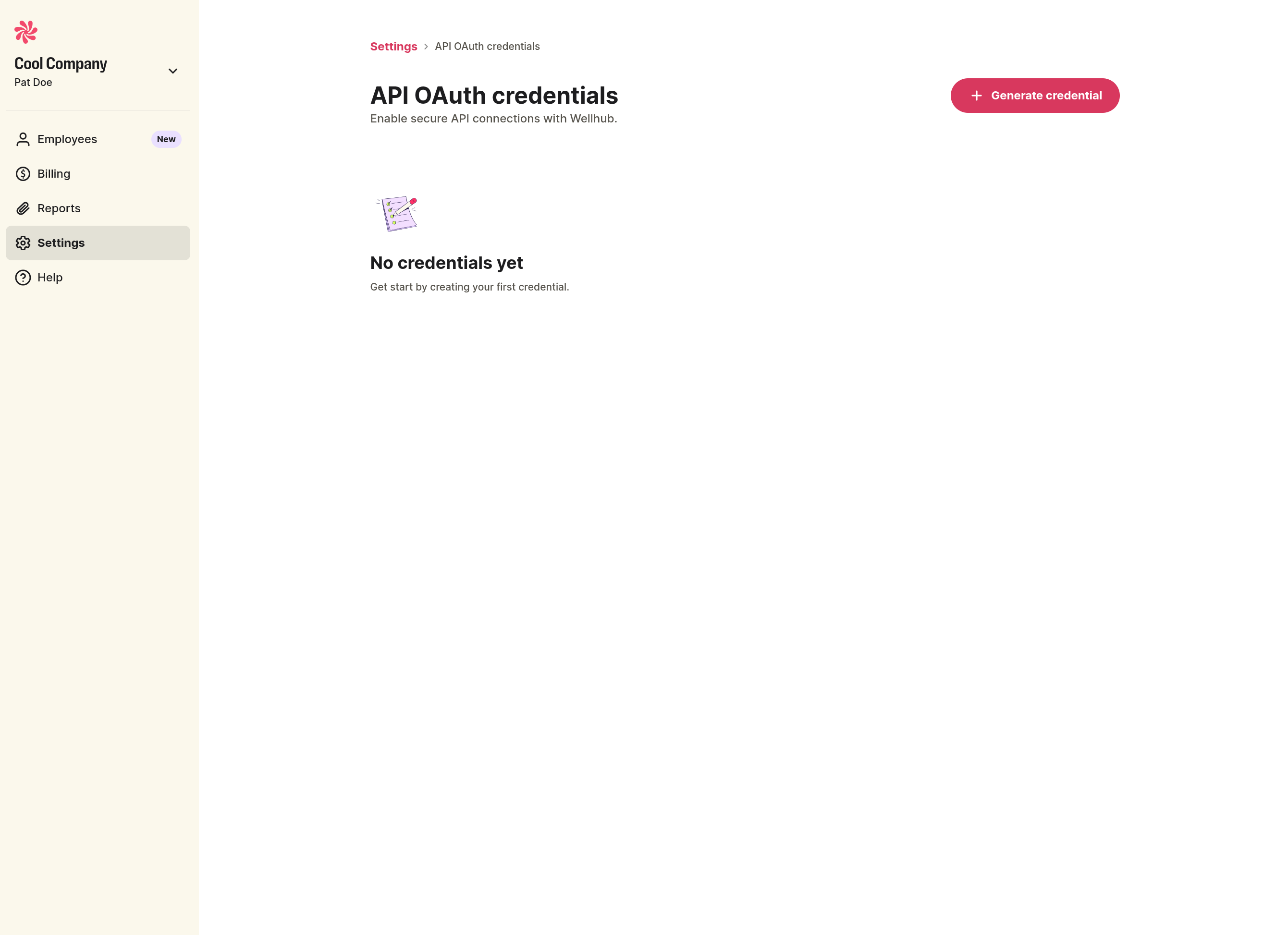
From the left navigation, go to Settings and open API OAuth credentials. If you have no credentials yet, you will see an empty state with a Generate credential button.
2) Enter credential details
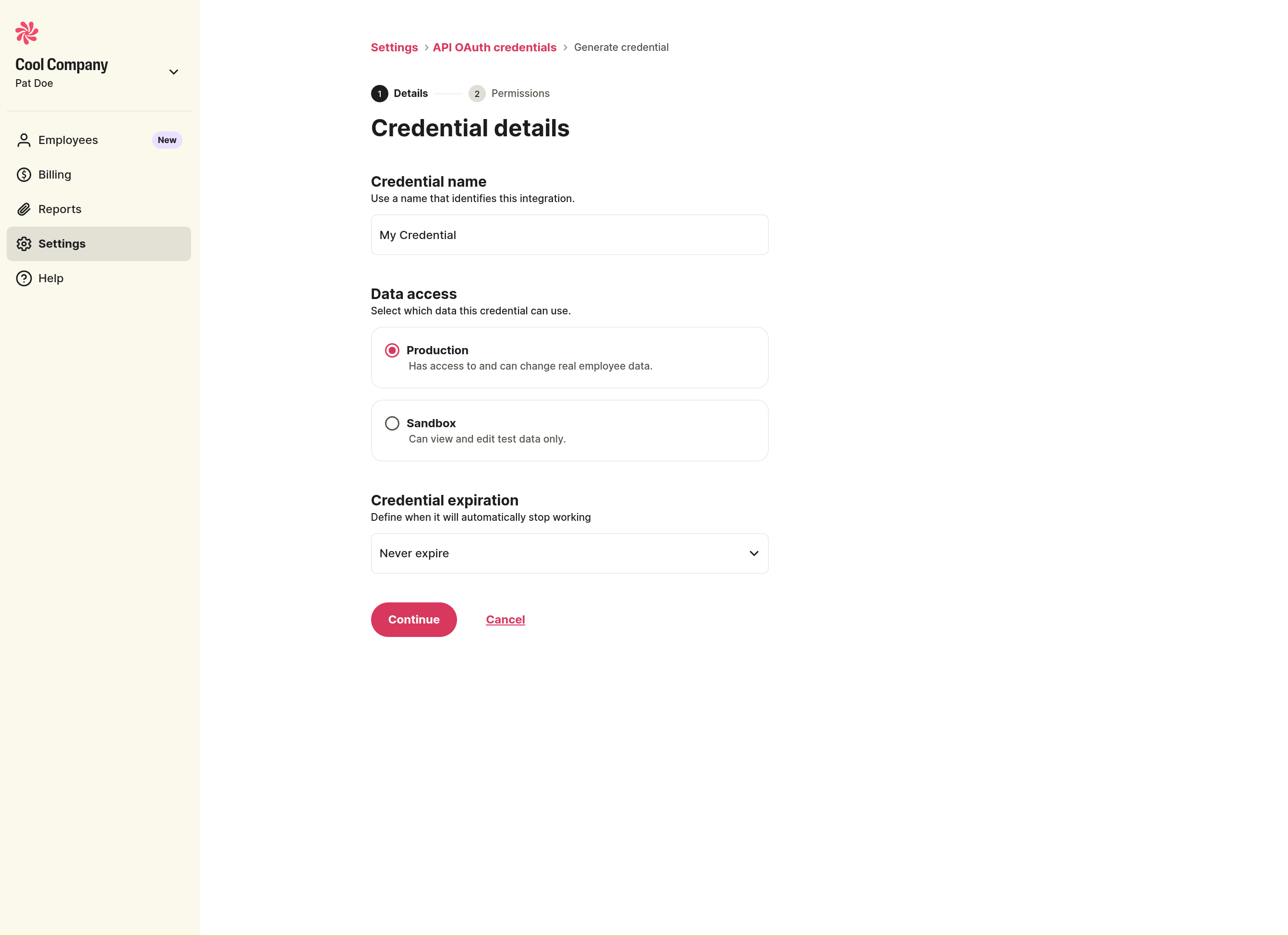
Click Generate credential, then fill in:
- Credential name to identify the integration.
- Data access: choose Production for live data or Sandbox for testing.
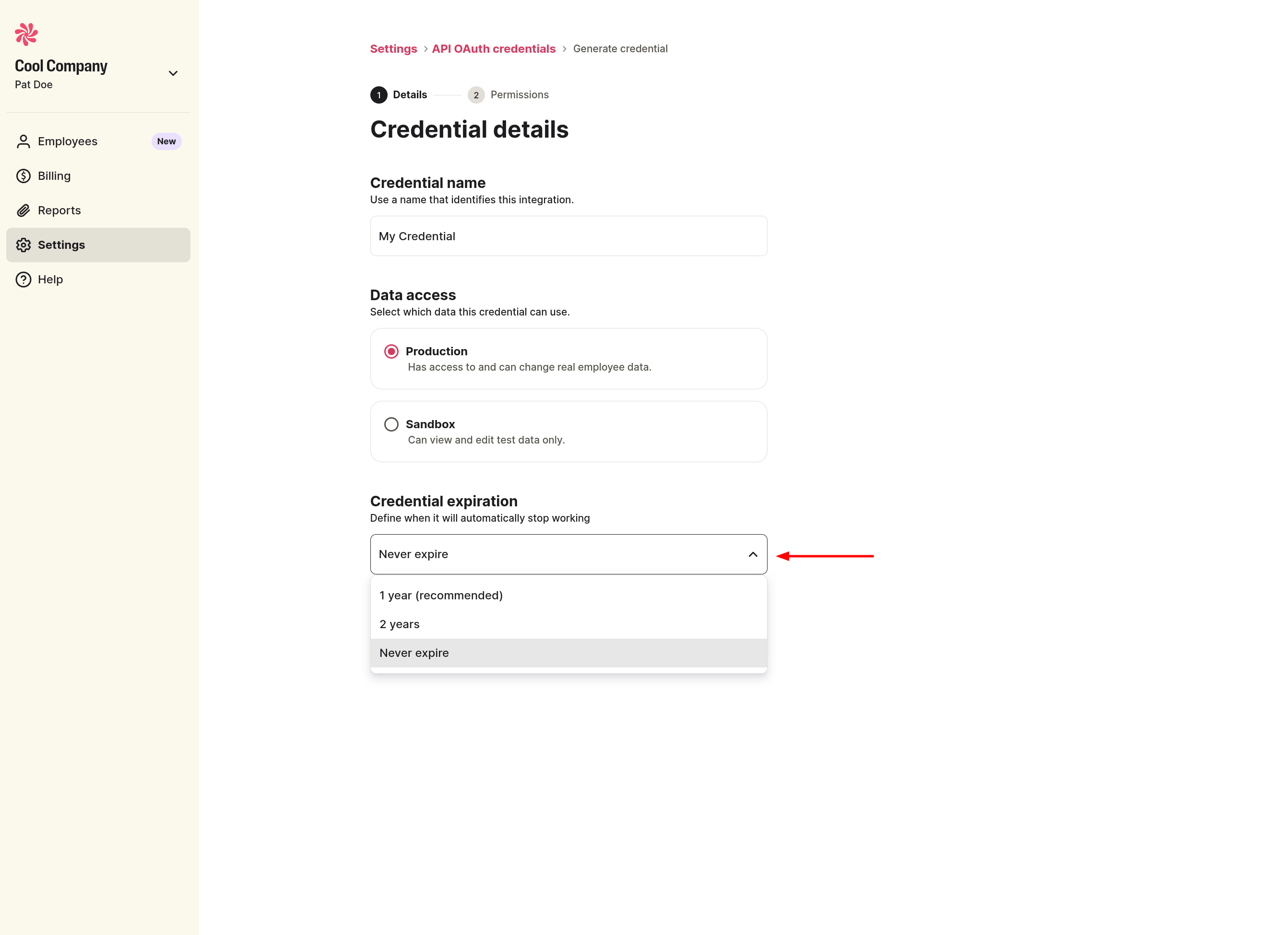
- Credential expiration: set a duration or choose Never expire.
3) Set permissions
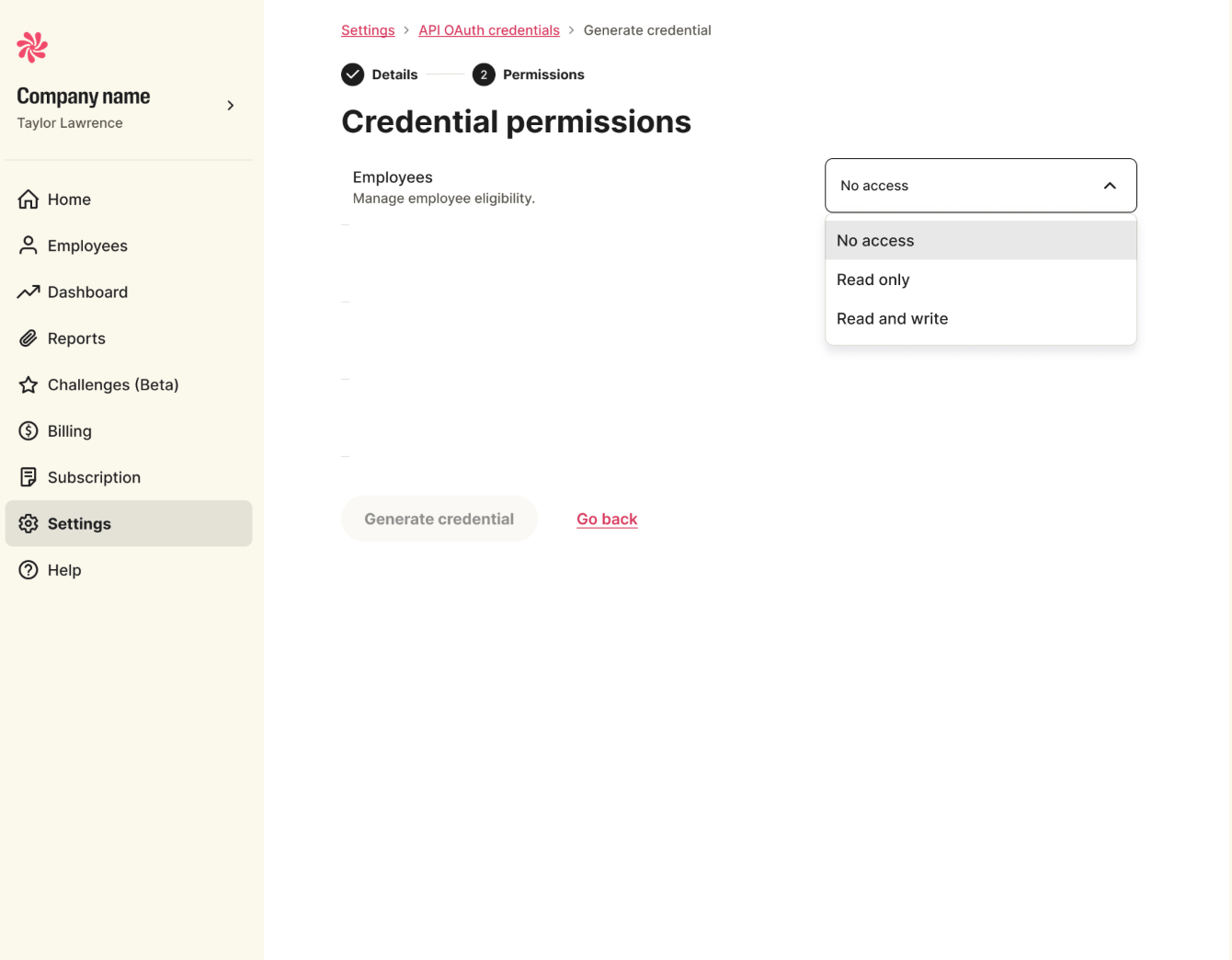
Choose the access level for each product area, then click Generate credential.
4) Save your client secret
After creation, the portal shows your Client ID and Secret once. Store the secret securely right away.
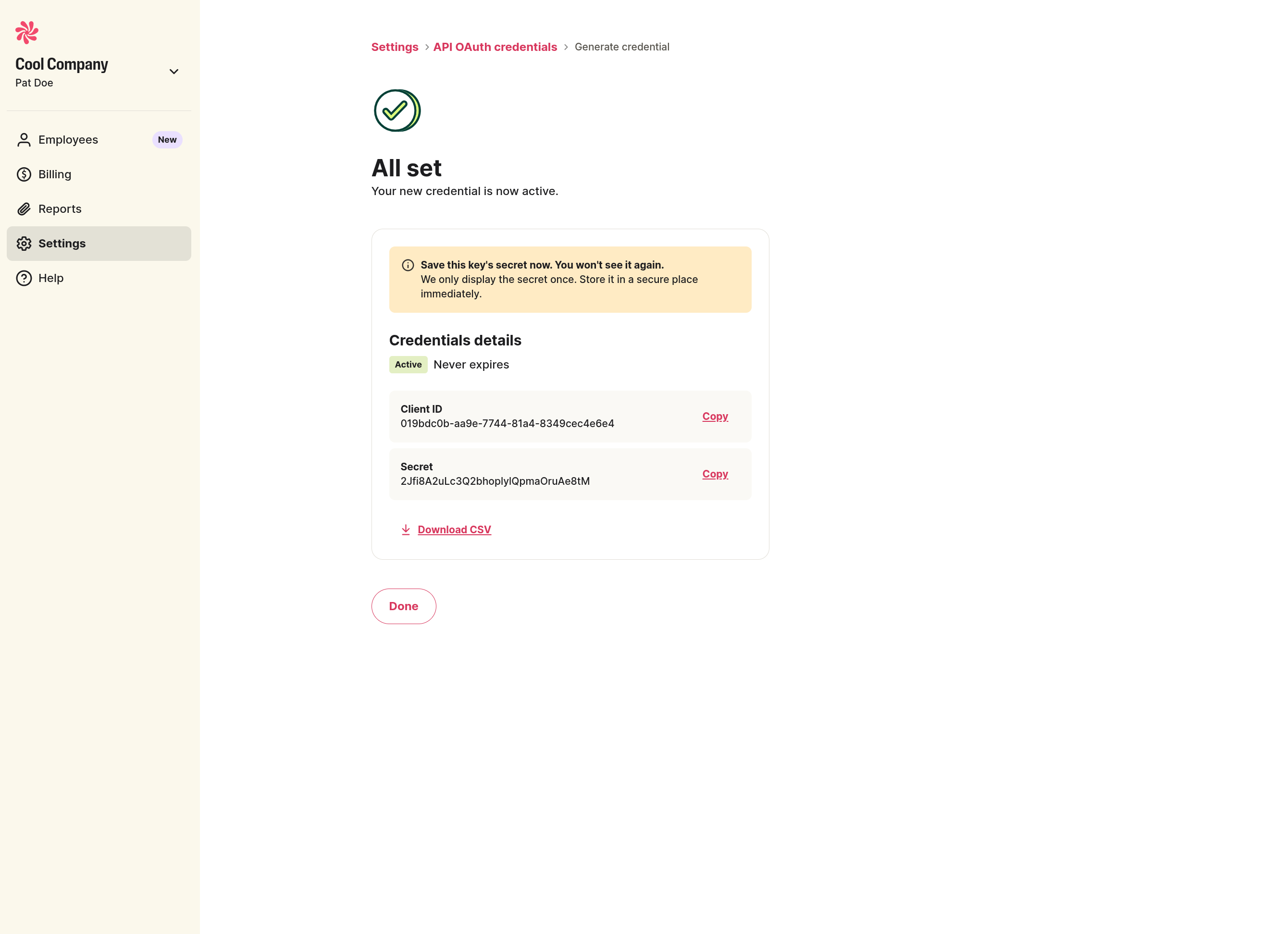
Treat your Client Secret like a password. It must never be shared with anyone, including Wellhub staff, support, or partners. Wellhub will never ask you for your Client Secret — any request to disclose it (by email, chat, phone, or ticket) should be treated as a phishing or social-engineering attempt and reported.
If you suspect your Client Secret has been exposed, rotate it immediately from the API OAuth credentials page in the Portal.
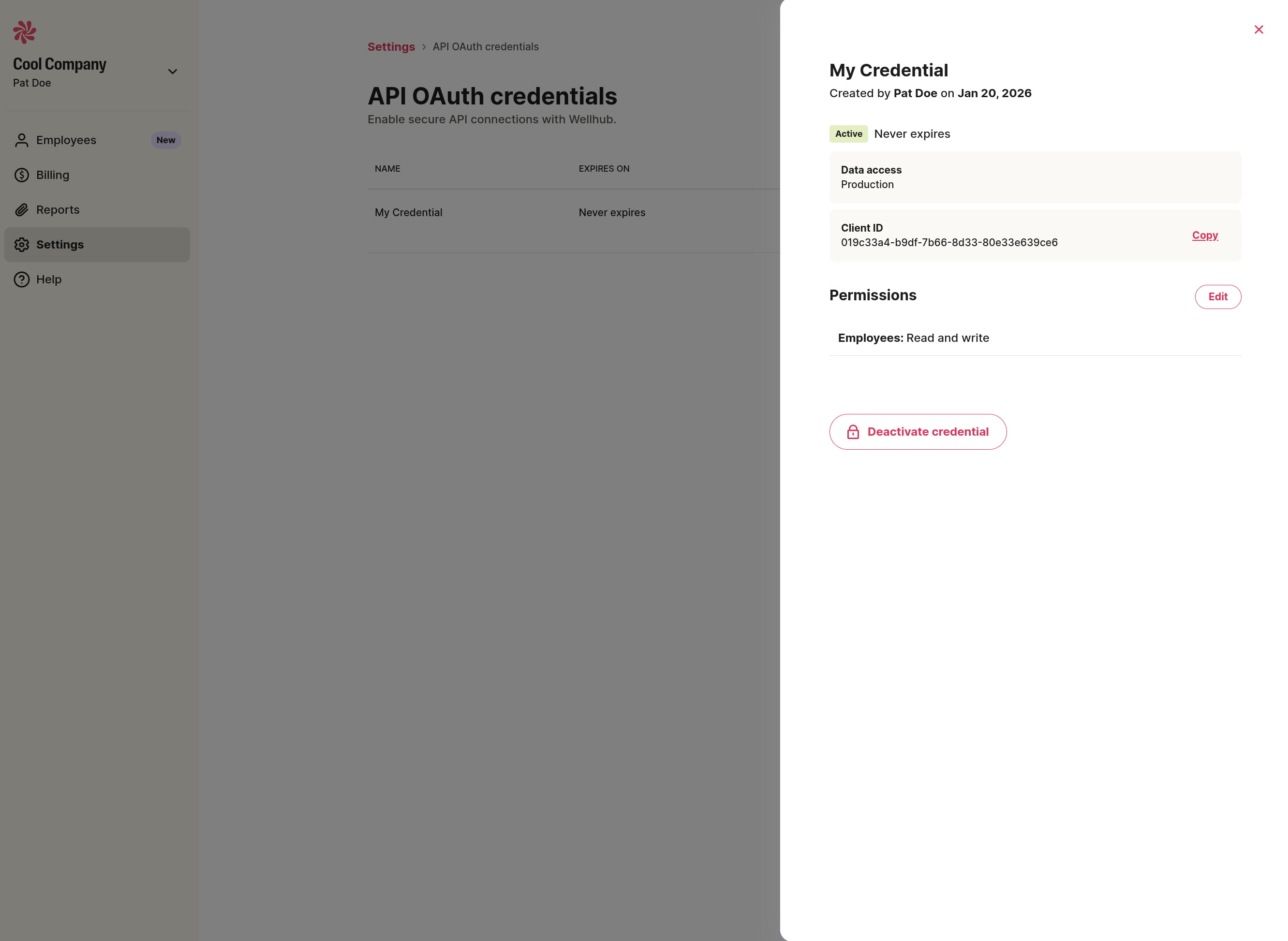
5) View or manage credentials
Open an existing credential to review details, copy the Client ID, edit permissions, or deactivate the credential.
Generate an OAuth token
To protect our clients' data, we validate the integration's IPs to ensure they comply with security guidelines. Therefore, there might be blocks due to invalid IPs - particularly when they fall under bot or anonymous rules.
If you encounter this error (403: Forbidden), please contact your Wellhub team so we can review the IP internally.
Use the token endpoint to exchange your client credentials for an access token.
Create Authorization Token
Endpoint
POST /oauth/token
Parameters
| Name | Required | Description |
|---|---|---|
| client_id | Yes | Your OAuth client ID. |
| client_secret | Yes | Your OAuth client secret. |
| grant_type | Yes | Use client_credentials. |
Headers
| Name | Required | Description |
|---|---|---|
| Content-Type | Yes | application/x-www-form-urlencoded. |
Response codes
| Code | Description |
|---|---|
| 200 | OK |
| 400 | Bad Request |
| 401 | Unauthorized |
| 403 | Forbidden |
| 500 | Internal Server Error |
Example request
curl -X POST "{{BASE_URL}}/oauth/token" \
  -H "Content-Type: application/x-www-form-urlencoded" \
  -d "client_id={{CLIENT_ID}}" \
  -d "client_secret={{CLIENT_SECRET}}" \
  -d "grant_type=client_credentials"
package main

import (
	"fmt"
	"io"
	"log"
	"net/http"
	"strings"
)

func main() {
	client := &http.Client{}
	var data = strings.NewReader(`client_id={{CLIENT_ID}}&client_secret={{CLIENT_SECRET}}&grant_type=client_credentials`)
	req, err := http.NewRequest("POST", "{{BASE_URL}}/oauth/token", data)
	if err != nil {
		log.Fatal(err)
	}
	req.Header.Set("Content-Type", "application/x-www-form-urlencoded")
	resp, err := client.Do(req)
	if err != nil {
		log.Fatal(err)
	}
	defer resp.Body.Close()
	bodyText, err := io.ReadAll(resp.Body)
	if err != nil {
		log.Fatal(err)
	}
	fmt.Printf("%s\n", bodyText)
}
import requests

headers = {
    'Content-Type': 'application/x-www-form-urlencoded',
}

data = 'client_id={{CLIENT_ID}}&client_secret={{CLIENT_SECRET}}&grant_type=client_credentials'

response = requests.post('{{BASE_URL}}/oauth/token', headers=headers, data=data)
import fetch from 'node-fetch';

fetch('{{BASE_URL}}/oauth/token', {
  method: 'POST',
  headers: {
    'Content-Type': 'application/x-www-form-urlencoded'
  },
  body: 'client_id={{CLIENT_ID}}&client_secret={{CLIENT_SECRET}}&grant_type=client_credentials'
});
using System.Net.Http;
using System.Net.Http.Headers;

HttpClient client = new HttpClient();

HttpRequestMessage request = new HttpRequestMessage(HttpMethod.Post, "{{BASE_URL}}/oauth/token");
request.Content = new StringContent("client_id={{CLIENT_ID}}&client_secret={{CLIENT_SECRET}}&grant_type=client_credentials");
request.Content.Headers.ContentType = new MediaTypeHeaderValue("application/x-www-form-urlencoded");

HttpResponseMessage response = await client.SendAsync(request);
response.EnsureSuccessStatusCode();
string responseBody = await response.Content.ReadAsStringAsync();
import java.io.IOException;
import java.net.URI;
import java.net.http.HttpClient;
import java.net.http.HttpRequest;
import java.net.http.HttpRequest.BodyPublishers;
import java.net.http.HttpResponse;

HttpClient client = HttpClient.newHttpClient();

HttpRequest request = HttpRequest.newBuilder()
    .uri(URI.create("{{BASE_URL}}/oauth/token"))
    .POST(BodyPublishers.ofString("client_id={{CLIENT_ID}}&client_secret={{CLIENT_SECRET}}&grant_type=client_credentials"))
    .setHeader("Content-Type", "application/x-www-form-urlencoded")
    .build();

HttpResponse<String> response = client.send(request, HttpResponse.BodyHandlers.ofString());
<?php
$ch = curl_init();
curl_setopt($ch, CURLOPT_URL, '{{BASE_URL}}/oauth/token');
curl_setopt($ch, CURLOPT_RETURNTRANSFER, true);
curl_setopt($ch, CURLOPT_CUSTOMREQUEST, 'POST');
curl_setopt($ch, CURLOPT_HTTPHEADER, [
    'Content-Type: application/x-www-form-urlencoded',
]);
curl_setopt($ch, CURLOPT_POSTFIELDS, 'client_id={{CLIENT_ID}}&client_secret={{CLIENT_SECRET}}&grant_type=client_credentials');

$response = curl_exec($ch);

curl_close($ch);
extern crate reqwest;
use reqwest::header;

fn main() -> Result<(), Box<dyn std::error::Error>> {
    let mut headers = header::HeaderMap::new();
    headers.insert("Content-Type", "application/x-www-form-urlencoded".parse().unwrap());

    let client = reqwest::blocking::Client::builder()
        .redirect(reqwest::redirect::Policy::none())
        .build()
        .unwrap();
    let res = client.post("{{BASE_URL}}/oauth/token")
        .headers(headers)
        .body("client_id={{CLIENT_ID}}&client_secret={{CLIENT_SECRET}}&grant_type=client_credentials")
        .send()?
        .text()?;
    println!("{}", res);

    Ok(())
}
Example response
{
  "access_token": "eyJhbGciOiJIUzI1NiIsInR5cCI6IkpXVCJ9...",
  "expires_in": 3600,
  "token_type": "Bearer"
}
Environment URLs
- Sandbox:
https://pilot-api.clients.wellhub.com - Production:
https://api.clients.wellhub.com
Use Sandbox for testing before moving to Production.
Rate limits
All endpoints are rate-limited, and those limits are enforced on two dimensions:
- Rate limit — maximum requests per minute (RPM).
- Burst limit — maximum requests per second allowed in a short spike.
Limits are tracked per client.
| Endpoint | Method | Rate limit | Burst |
|---|---|---|---|
/oauth/token | POST | 5 RPM | 5 req/s |
/v1/eligibility/jobs | POST | 25 RPM | 5 req/s |
/v1/eligibility/jobs/{job-id}/submit | POST | 25 RPM | 5 req/s |
/v1/eligibility/jobs/{job-id}/items | POST | 50 RPM | 20 req/s |
/v1/eligibility/jobs/{job-id}/items | GET | 50 RPM | 20 req/s |
/v1/eligibility/jobs/{job-id}/status | GET | 50 RPM | 20 req/s |
/v1/eligibility/jobs/{job-id}/errors | GET | 50 RPM | 20 req/s |
/v1/employees | GET | 300 RPM | 5 req/s |
/v1/companies/{company-tax-id}/employees | GET | 300 RPM | 5 req/s |
/v1/companies | GET | 300 RPM | 5 req/s |
Requests that exceed a limit return 429 Too Many Requests. Responses include standard rate limit headers (RateLimit-Limit, RateLimit-Remaining, RateLimit-Reset) so you can track consumption and back off accordingly.